
How to Integrate CRM with Electronic Health Records (EHR)
In the modern healthcare ecosystem, data plays a crucial role in improving patient care, optimizing workflows, and enhancing communication. However,

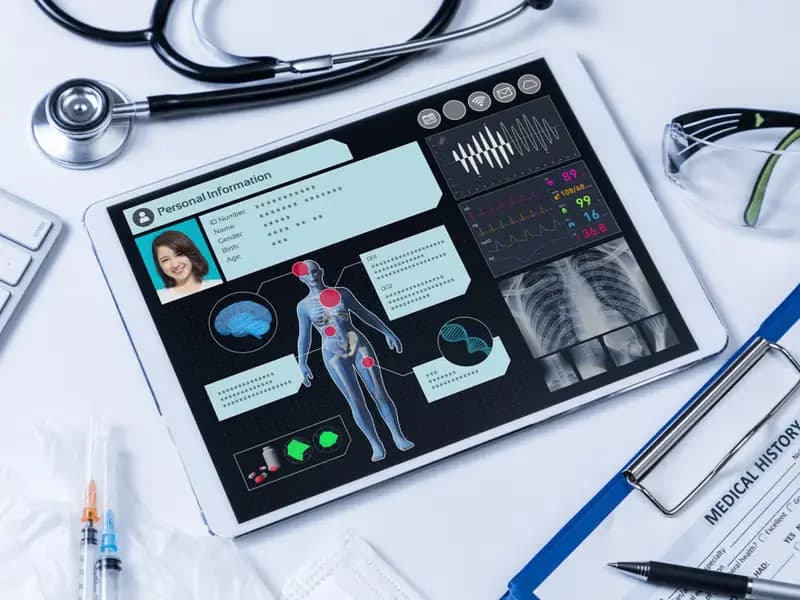
In the modern healthcare ecosystem, data plays a crucial role in improving patient care, optimizing workflows, and enhancing communication. However, when patient data is spread across multiple systems, healthcare providers often struggle with inefficiency, redundancy, and limited visibility into the patient journey. That’s where CRM (Customer Relationship Management) and EHR (Electronic Health Records) integration becomes a game-changer.
Integrating CRM with EHR systems creates a unified platform that bridges the gap between clinical data and patient relationship management. This powerful combination allows healthcare organizations to deliver personalized, efficient, and patient-centered care. In this blog, we’ll explore how to integrate CRM with EHR, why it’s essential, and the key steps and benefits of doing it right.
Understanding CRM and EHR Systems
Before diving into integration, it’s important to understand the roles each system plays:
- EHR (Electronic Health Records): EHRs store and manage patients’ medical information, including diagnosis history, prescriptions, lab results, allergies, and treatment plans. They are primarily designed for clinical use by healthcare professionals.
- CRM (Customer Relationship Management): In healthcare, a CRM focuses on patient engagement, communication, and relationship management. It manages appointments, follow-ups, outreach campaigns, and patient feedback — all aimed at improving patient experience and retention.
While EHRs manage clinical data, CRMs manage interaction data. Integrating both ensures that every interaction, whether clinical or administrative, is recorded and used to improve patient outcomes.
Why Integrate CRM with EHR?
Integrating CRM with EHR systems provides a comprehensive 360-degree view of patients, enhancing both operational and clinical efficiency. Let’s look at the key reasons why integration matters:
- Enhanced Patient Experience
When CRM and EHR data are connected, providers can offer more personalized care. For example, automated reminders, follow-up emails, and wellness updates can be tailored to each patient’s medical history and current treatment plan. - Streamlined Communication
Integration ensures seamless communication between departments — from clinical teams to administrative and marketing staff — ensuring everyone has access to the same up-to-date patient information. - Improved Workflow Efficiency
With synchronized systems, healthcare staff no longer need to switch between platforms or duplicate data entry. This reduces errors, saves time, and enhances productivity. - Data-Driven Insights
Combined CRM and EHR data provide valuable insights into patient behavior, treatment outcomes, and operational performance. This enables healthcare providers to make smarter, data-backed decisions. - Regulatory Compliance
A well-integrated system ensures that data sharing complies with HIPAA and other healthcare privacy regulations, improving both security and accountability.
Key Steps to Integrate CRM with EHR
Integrating these systems requires careful planning, technical coordination, and adherence to healthcare regulations. Here’s a step-by-step guide to help you achieve a successful integration.
Step 1: Define Your Integration Goals
Start by identifying why you need the integration. Your goals could include:
- Enhancing patient engagement through automated communication.
- Reducing administrative workload.
- Improving data visibility across departments.
- Providing better patient insights for marketing or outreach.
Clearly defined goals will guide your choice of CRM, integration method, and data synchronization strategy.
Step 2: Choose Compatible Systems
Not all CRMs and EHRs are built to work together seamlessly. Therefore, select platforms that support integration through open APIs (Application Programming Interfaces) or pre-built connectors.
For example:
- EHR platforms like Epic, Cerner, or Allscripts often offer API support for CRM integration.
- Healthcare CRMs like Salesforce Health Cloud, Zoho CRM, or HubSpot (with healthcare customization) provide built-in tools for syncing patient data.
Make sure the systems you choose are HIPAA-compliant and capable of handling healthcare data securely.
Step 3: Map Data Fields and Workflows
Once the systems are chosen, the next step is data mapping — aligning data fields from both CRM and EHR systems.
For example:
- Patient ID in EHR ↔ Patient Record in CRM
- Appointment details in CRM ↔ Visit data in EHR
- Communication history in CRM ↔ Treatment updates in EHR
Defining how data flows between the two systems ensures consistency and accuracy. Determine which system will act as the primary source for specific data types to avoid duplication or conflict.
Step 4: Implement Secure Data Exchange
Security is a top priority when integrating healthcare systems. Ensure your integration follows data protection standards such as:
- HIPAA compliance for U.S.-based organizations.
- Data encryption for all transmitted and stored information.
- Access control to limit sensitive data visibility based on user roles.
Using API-based integration allows real-time data synchronization while maintaining strict security protocols.
Step 5: Test and Validate the Integration
Before full deployment, conduct thorough testing to ensure:
- Data is syncing correctly and accurately.
- User roles and permissions are configured properly.
- Communication between systems is stable and reliable.
Perform validation with small batches of data first to identify potential errors before rolling out organization-wide.
Step 6: Train Your Staff
Even the best integration won’t succeed without proper user adoption. Train your healthcare teams — clinical, administrative, and marketing — on how to use the integrated system effectively.
Training should cover:
- How to access and interpret integrated data.
- How automation (like reminders or follow-ups) works.
- Best practices for maintaining data integrity.
This ensures everyone understands the benefits and workflow improvements that come with integration.
Step 7: Monitor and Optimize
After the integration is live, continuously monitor its performance. Collect feedback from staff and patients to identify areas for improvement.
Regularly review reports and analytics to measure key outcomes, such as:
- Improved appointment adherence.
- Higher patient satisfaction rates.
- Reduced administrative workload.
As your organization grows, you may need to enhance the integration with new modules or advanced analytics tools.
Key Benefits of CRM–EHR Integration
Integrating CRM with EHR is not just a technical upgrade — it’s a strategic move that transforms patient engagement and operational efficiency.
Some major benefits include:
- Unified view of each patient’s clinical and engagement history.
- Improved coordination between healthcare and administrative teams.
- Personalized patient communication based on real-time data.
- Reduced manual errors and administrative overhead.
- Enhanced compliance and data transparency.
In short, integration bridges the gap between care delivery and relationship management — two essential pillars of modern healthcare.

Conclusion
In an era where patients expect personalized and efficient healthcare, integrating CRM with Electronic Health Records (EHR) is a critical step forward. This integration not only streamlines operations but also empowers healthcare providers to deliver more informed, patient-centered care.
By carefully planning your integration, prioritizing security, and training your teams, your organization can unlock the full potential of data-driven healthcare. The result? Stronger patient relationships, improved satisfaction, and a seamless experience that benefits everyone — from providers to patients.
The Doctorna editorial desk writes about healthcare operations, patient experience and the systems clinics use to connect them.