

Managing patient relationships effectively is an important part of modern healthcare operations. Clinics handle patient information, appointments, communication, follow-ups, feedback, and administrative tasks every day. Without a centralized system, managing these activities across spreadsheets, phone calls, emails, and separate software platforms can become difficult. This is why healthcare organizations are increasingly using customer relationship management solutions designed specifically for healthcare environments.
Understanding the Healthcare CRM Features Every Clinic Needs can help healthcare providers identify the tools required to improve patient engagement, streamline communication, and organize administrative workflows. A healthcare CRM can bring relevant patient relationship activities into a centralized platform while supporting more efficient day-to-day operations.
Centralized Patient Information
A healthcare CRM should provide a centralized location for managing relevant patient relationship information. Authorized staff can access important details according to their roles and permissions, reducing the need to search through multiple systems.
A centralized platform can help teams organize contact information, communication history, appointment interactions, and other relevant administrative details. It is important to distinguish CRM information from clinical records and ensure that clinical data remains managed within appropriate healthcare systems.
Appointment Management
Appointment management is one of the most useful features for clinics. A healthcare CRM can help staff organize appointment requests, confirmations, reminders, cancellations, and follow-ups.
Automated reminders can notify patients about upcoming appointments, while digital scheduling tools can make booking more convenient. Integration with existing practice management or scheduling systems can further reduce duplicate administrative work.
Automated Patient Communication
Communication is essential for maintaining patient relationships. Healthcare CRM platforms can automate appropriate messages based on predefined workflows.
Clinics may use automated communication for appointment confirmations, reminders, follow-up requests, service updates, and other administrative notifications. Automation can help staff maintain consistent communication without manually sending every message.
Patient Follow-Up Management
Follow-up is an important part of maintaining ongoing patient relationships. A CRM can help healthcare teams identify patients who may require administrative follow-up and organize communication tasks.
For example, a clinic may create workflows for patients who need to schedule another appointment or receive information after a visit. Automated task assignments can help staff manage these activities more consistently.
Lead and Inquiry Management
Clinics may receive inquiries through websites, phone calls, social media, messaging platforms, or online forms. A healthcare CRM can organize these inquiries in one system.
Staff can record inquiries, assign them to appropriate team members, track responses, and monitor whether an inquiry results in an appointment. This can help clinics avoid losing important requests among multiple communication channels.
Patient Segmentation
Not every patient requires the same communication. Segmentation allows clinics to organize patients into relevant groups based on appropriate criteria.
For example, a clinic may create segments for new patients, returning patients, patients due for follow-up, or individuals interested in specific services. Relevant communication can then be planned for each group.
Segmentation should always follow applicable privacy and data protection requirements.
Multichannel Communication
Patients may prefer different communication channels. A healthcare CRM can bring communication workflows together across channels such as email, SMS, phone, web forms, patient portals, and supported messaging platforms.
A centralized communication history can help authorized staff understand previous interactions and reduce unnecessary repetition.
Patient Feedback and Surveys
Patient feedback can provide valuable information about the overall healthcare experience. CRM systems can include surveys and feedback tools that allow clinics to collect patient opinions after appropriate interactions.
Clinics can review feedback to identify recurring issues and opportunities for improvement. Feedback management can also help organizations monitor changes in patient experience over time.
Reporting and Analytics
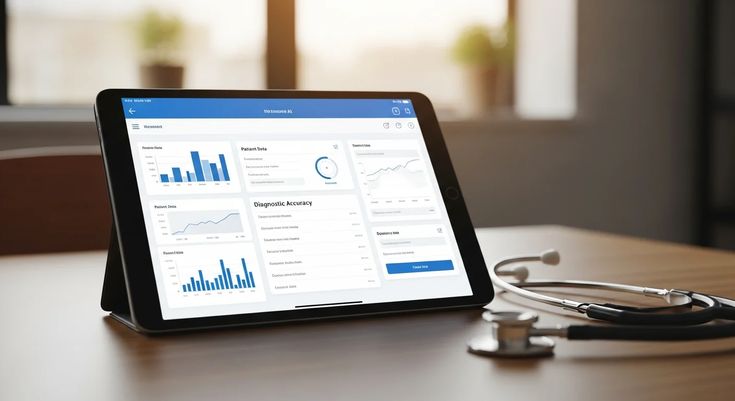
A healthcare CRM should provide reporting capabilities that help clinics understand patient engagement and operational activity.
Reports may include information about appointment inquiries, communication activity, follow-up tasks, patient responses, and other relationship-management metrics. These insights can help clinic managers identify workflow gaps and make informed operational decisions.
Analytics should be used responsibly, particularly when patient information is involved.
Integration With Healthcare Systems
Integration is an important feature when a clinic already uses multiple digital systems. A healthcare CRM may integrate with appointment scheduling platforms, electronic medical records, electronic health records, billing systems, websites, communication tools, and other business applications.
Integrations can reduce duplicate data entry and help different systems work together more efficiently.
Task and Workflow Automation
Healthcare teams often perform repetitive administrative tasks. CRM workflow automation can help assign tasks, trigger reminders, update statuses, and notify staff according to predefined rules.
For example, when a new inquiry is received, the system may automatically create a follow-up task for the appropriate team member. This can make administrative workflows more structured.
Secure Access and User Permissions
Security is a critical requirement for healthcare CRM systems. Clinics should be able to control which users can access specific types of information.
Role-based permissions can help ensure that staff members only access information appropriate to their responsibilities. Additional security measures may include authentication controls, encryption, audit logs, secure backups, and activity monitoring.
Mobile Accessibility
Healthcare staff may need access to CRM information while working between departments or away from a desktop computer. Mobile-friendly interfaces can provide convenient access to appropriate functions.
A mobile CRM can allow authorized users to review tasks, respond to inquiries, manage follow-ups, and check relevant information from supported devices.
Patient Engagement Tools
A healthcare CRM should provide tools that support meaningful patient engagement. Depending on the platform, these may include personalized communication, reminders, feedback requests, educational messages, and appointment-related notifications.
The purpose should be to make interactions more convenient and relevant rather than simply increasing the number of messages patients receive.
Scalability
A CRM should be capable of supporting a clinic as it grows. A small clinic may initially require basic patient communication and appointment management, while a larger healthcare organization may need advanced workflows, multiple locations, integrations, and detailed reporting.
Choosing a scalable platform can help reduce the need to replace the system as operational requirements become more complex.
Easy-to-Use Interface
Even a feature-rich healthcare CRM will have limited value if staff find it difficult to use. A clear interface, simple navigation, and logical workflows can improve adoption across the organization.
Training and ongoing technical support are also important when introducing a new CRM system. Staff should understand how to use the platform securely and efficiently.
The Healthcare CRM Features Every Clinic Needs should focus on improving patient communication, organizing administrative workflows, supporting follow-ups, and providing useful operational insights. Features such as centralized information management, appointment coordination, automated communication, patient segmentation, feedback collection, analytics, integrations, security, and workflow automation can help clinics manage patient relationships more efficiently.
The right healthcare CRM depends on the clinic’s size, services, existing technology, workflow requirements, and privacy obligations. A well-selected system should complement existing healthcare software while making patient relationship management more organized, secure, and convenient.